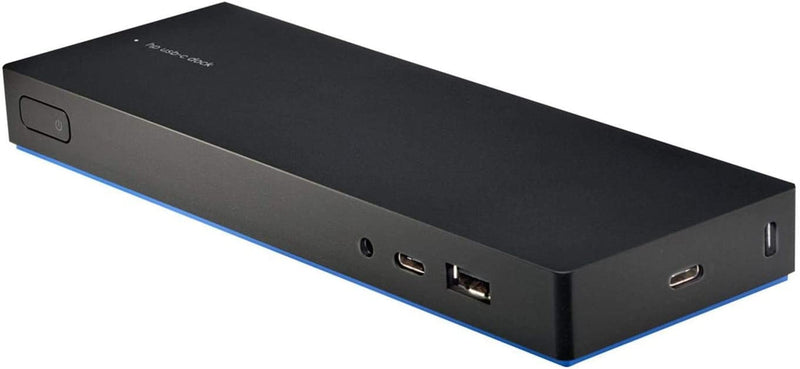
When it comes to enhancing productivity and connectivity, Dell docking stations are an invaluable asset for both personal and professional use. They allow seamless integration of peripheral devices with laptops, ensuring a clutter-free workspace while maintaining optimal performance. This guide delves into the considerations and features that should influence your decision when purchasing a Dell docking station, ensuring that you make an informed choice tailored to your needs.
Understanding Your Needs
Before investing in a docking station, it’s crucial to assess your specific requirements. Consider the following:
- Device Compatibility: Ensure the docking station is compatible with your laptop model. Dell offers a range of docks tailored to different models and specifications.
- Port Requirements: Identify the types and number of ports you need, such as USB-C, HDMI, DisplayPort, Ethernet, and audio jacks.
- Power Delivery: Some docking stations offer power delivery to charge your laptop while connected. Verify the power output meets your device’s needs.
Key Features to Consider
Dell docking stations offer various features that cater to different user needs. When evaluating your options, keep an eye on these critical aspects:
Connectivity Options
A comprehensive docking station should provide multiple connectivity options to accommodate various devices and peripherals. Consider options with:
- Multiple USB Ports: Essential for connecting a mouse, keyboard, and external drives.
- Video Output: Look for HDMI, DisplayPort, or VGA connections for external monitors.
- Networking: An Ethernet port is beneficial for stable internet connections.
Build Quality and Design
The design and build quality of a docking station can significantly impact user experience. Opt for docking stations that:
- Are compact and do not occupy excessive desk space.
- Have a sturdy build to withstand regular use.
- Include a sleek design that complements your workspace aesthetics.
Top Recommendations
The market offers a variety of Dell docking stations, each with unique features. Here are some top recommendations:
- Dell WD19: Known for its robust connectivity options and power delivery capabilities.
- Dell D6000: Offers universal compatibility and supports up to three 4K displays.
- Dell TB16: Ideal for power users needing extensive port selection and high-speed data transfer.
Where to Purchase
When ready to buy a Dell docking station, consider purchasing from reputable suppliers to ensure authenticity and warranty coverage. Online platforms and official Dell retailers are reliable sources to explore.
Conclusion
Purchasing a Dell docking station involves evaluating compatibility, connectivity, and design to suit your unique needs. By understanding these factors, you can enhance your workstation’s functionality and efficiency. Remember to explore the wide range of options available to find the perfect docking station that delivers both performance and value.