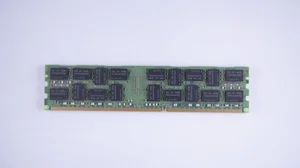
In the world of computing, RAM (Random Access Memory) plays a crucial role in determining the overall performance of your system. Whether you are building a new PC or upgrading your existing one, selecting the right RAM is essential for optimizing speed and efficiency. The right RAM ensures that your applications run smoothly and that your system can handle multitasking with ease. This article provides practical tips to help you buy the RAM that fits your specific needs, enhancing your computer’s performance without unnecessary expense.
Understand Your Needs
Before diving into the technical specifications, it’s important to understand what you need from your computer. Different tasks require different amounts of RAM, and understanding your requirements will guide your purchase decision.
- For basic tasks such as web browsing and word processing, 4GB to 8GB of RAM is generally sufficient.
- For more demanding tasks like gaming or graphic design, consider 16GB or more.
- Professional tasks such as video editing or 3D rendering may require 32GB or more.
Read more about this topic to better understand how RAM impacts performance based on different use cases.
Check Compatibility
Once you know your needs, the next step is to ensure that the RAM you choose is compatible with your system. Compatibility issues can lead to poor performance or even hardware failure.
Motherboard Compatibility
Your motherboard must support the type and amount of RAM you plan to install. Key factors to consider include:
- Type of RAM: DDR3, DDR4, or the latest DDR5.
- Maximum RAM capacity your motherboard can support.
- Number of RAM slots available.
For detailed guidance on checking motherboard compatibility, learn more in this detailed guide.
Form Factor
The physical size of the RAM module must fit your motherboard. Most desktops use DIMM modules, while laptops use smaller SO-DIMM modules.
Ensure the form factor matches your system by exploring further insights here.
Consider the Speed
RAM speed, measured in MHz, can significantly affect your system’s performance. Faster RAM can improve load times and overall responsiveness.
- Higher MHz ratings generally indicate faster performance.
- Consider the balance between speed and cost; sometimes, the highest speed isn’t necessary for your needs.
For a deeper understanding of how RAM speed affects performance, find additional information here.
Budget Considerations
While it might be tempting to get the highest specification RAM available, it’s crucial to balance your needs with your budget.
- Identify the essential features that meet your requirements without overspending.
- Look for deals and discounts, but ensure the quality and compatibility of the RAM.
For budgeting tips and advice on cost-effective RAM purchasing, explore further insights here.
Conclusion
Buying the right RAM for your computer involves understanding your needs, ensuring compatibility, selecting the appropriate speed, and managing your budget. By methodically assessing each of these factors, you can ensure that your RAM purchase enhances your system’s performance effectively. Remember, the right choice of RAM can make a significant difference in the overall functionality of your computer. For additional information and expert insights, find additional information here.